BetJam registration: open an account step by step
Tap the sign-up button and choose phone, e-mail or Google. Enter your number with the country code and confirm the SMS code. Fill in your first and last name; the account currency is chosen in the form and the promo code is optional. Pick the welcome bonus and submit. The form does not ask for an ID document.
| Button | Yellow sign-up button at the top right |
|---|---|
| Ways to sign up | By phone (default tab), by e-mail or with Google |
| Phone | Phone number with the country code and an SMS code |
| Details | First and last name (required fields, marked with *) |
| Currency | Account currency chosen in the form |
| Welcome bonus | Chosen in the form: the casino package (Casino + JamGames) or the sports bonus |
| Promo code | Optional field in the form |
| ID document | Not asked in the form |
| Verification | Photo of a passport or driving licence, proof of the payment method and, if requested, a selfie with the document |
| Minimum age | 18 years; by signing up you confirm that you are of age |
What you need to sign up
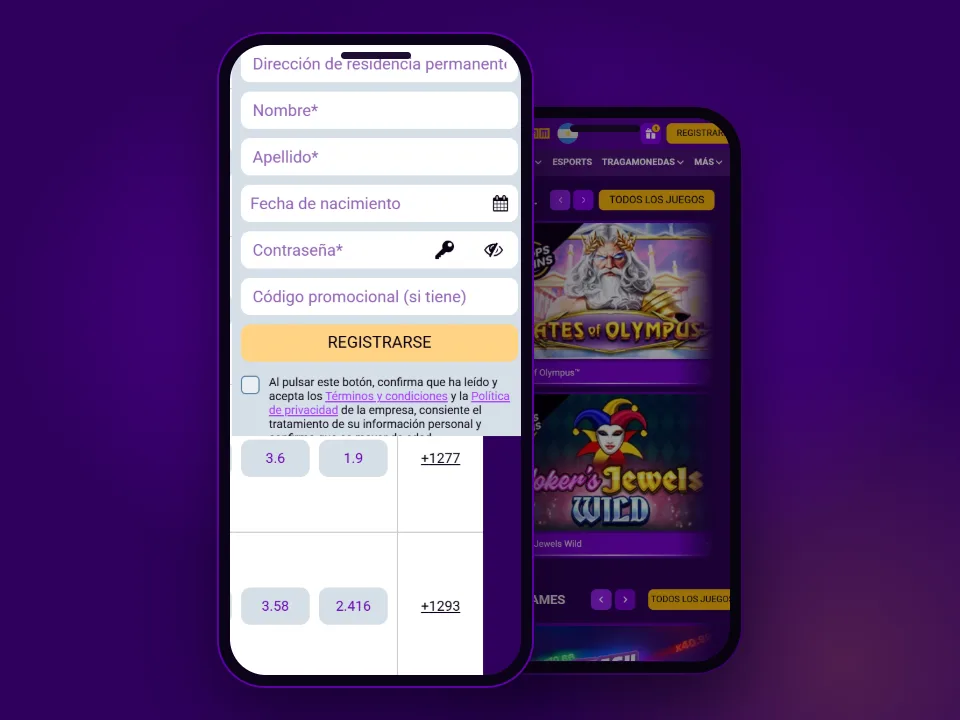
Before you start, have the phone that will receive the SMS to hand, along with your real details. This is what the phone form shows:
| Field | What to enter |
|---|---|
| Country code and phone number | The country code and your mobile number |
| Sending method | SMS, which is already selected |
| Currency | The account currency, chosen in the form |
| First and last name | The same as on your ID document; both are required |
| Promo code | Optional |
| Welcome bonus | Chosen from a drop-down list; Casino + JamGames is preselected |
| Consent | By tapping the sign-up button you accept the terms and conditions and the privacy policy, and confirm that you are of age |
The form does not ask for an ID document. Documents, if needed, are requested later.
BetJam registration step by step
The process has six short steps and works the same on a phone as on a computer.
Tap the sign-up button
Open BetJam with the button on this page and tap the yellow sign-up button at the top right. The registration form opens.
Choose phone, e-mail or Google
The form has three tabs: phone, e-mail and Google. The phone tab is selected by default. If you already use Google on your phone, that tab saves you typing your access details by hand.
Enter your number and request the SMS code
Select your country code, type your number and leave SMS as the sending method. Then request the code. A message with a code arrives within moments. Enter it as the screen tells you.
Fill in your details
Type your first and last name, the two required fields. The account currency is chosen in the currency field. If you have a code, type it in the promo code field; if not, leave it empty. There is more detail on the BetJam promo code page.
Choose the welcome bonus
The bonus drop-down lets you choose between two options. Casino + JamGames is preselected and gives 150 free spins across four deposits. The sports bonus gives 100% on the first deposit.
If you mostly play slots or live tables, the first option suits you. If sports betting is your thing, pick the second.
Submit the form
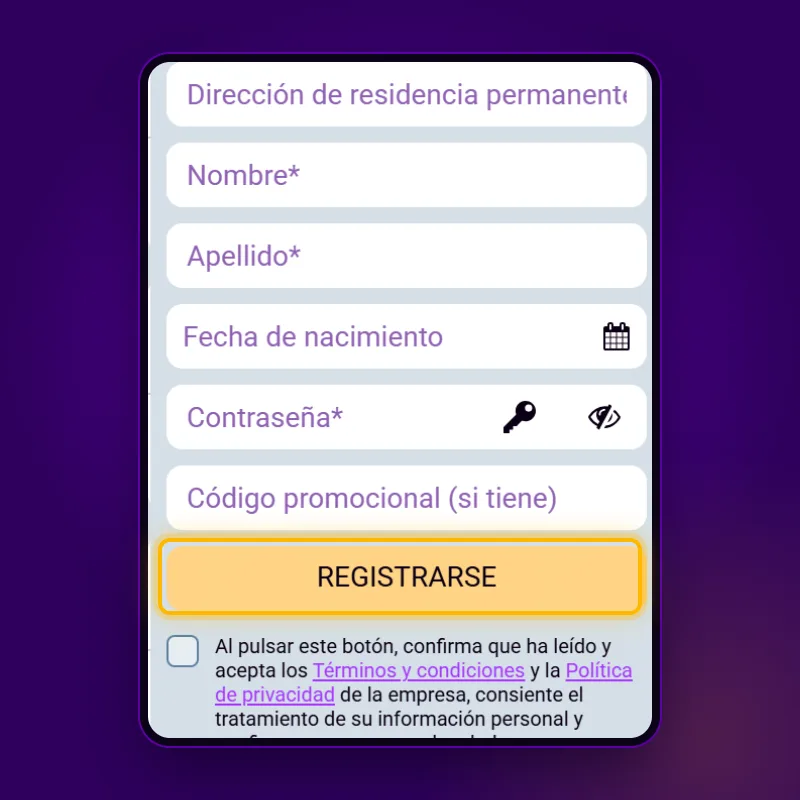
Check that everything is right and tap the sign-up button. Below the button, the site notes that pressing it means you accept the terms and conditions and the privacy policy and confirm that you are of age. The account is then created.
Welcome package: four deposits + 150 free spins
Sign up at BetJamAfter signing up: how to activate the bonus
Having an account is not enough for the bonus to be credited. Before your first deposit, complete your profile and confirm your phone number and e-mail. For the casino, also activate the bonuses.
Then make a deposit that meets the minimum for the bonus you chose. The minimum depends on the account currency, and the cashier and the promotion show it. You have 30 days from signing up to do it. The conditions and the rollover are in the guide to the BetJam welcome bonus.
Welcome package: four deposits + 150 free spins
Sign up at BetJamAccount verification
At some point BetJam may ask you for documents to verify the account. The usual ones are a photo of your passport or driving licence and proof of the payment method you used. Sometimes a selfie with the document is requested too.
That is why you should sign up with your real details: if the name does not match the document, verification becomes harder. Verification also matters when you withdraw, so keep the documents handy.
Common sign-up mistakes
Almost every problem can be avoided with a quick check before you submit the form:
| Mistake | What happens | How to avoid it |
|---|---|---|
| Typing a number without the country code or with a wrong digit | The SMS does not arrive | Check the number and make sure the phone has signal |
| Depositing before completing the profile and confirming phone and e-mail | The bonus may not be applied | Complete the profile and confirm both first |
| Choosing the sports bonus with a crypto account | The bonus is not applied | Use a regular-currency account for that bonus |
| Depositing less than the minimum for the casino package | The deposit does not count for the bonus | Check the minimum in the cashier first |
| Entering made-up details | Problems when verifying the account | Use the details on your document |
Requirements for a BetJam account
- Be 18 or older.
- Use real personal details that match your documents.
- Take only one bonus per customer, family, address or IP.
If you already have an account, you do not need to sign up again: just log in. On a phone, you can also use the BetJam app.
Frequently asked questions
How do I sign up at BetJam?
Tap the sign-up button, choose phone, e-mail or Google, enter your number with the country code and confirm the SMS code. Fill in your first and last name, choose the welcome bonus and submit. The six steps are explained above.
Can I sign up with Google or my e-mail?
Yes. The form has tabs for phone (the default), e-mail and Google. Choose the one you prefer. Later, to log in, use the same method you signed up with.
Do I need an ID document to sign up?
No. The registration form has no ID number field. Later, to verify the account, BetJam may ask for a photo of a passport or driving licence and proof of the payment method.
Which currency does my account use?
You choose it in the currency field of the sign-up form. Crypto accounts (USDT and BTC) also exist, but the sports bonus does not apply to them.
What is the minimum age to sign up at BetJam?
18 years. By tapping the sign-up button you confirm that you are of age and accept the terms and conditions. If your details do not match your document, there may be problems when BetJam verifies the account.
Which documents does BetJam ask for to verify the account?
A photo of a passport or driving licence and proof of the payment method. In some cases a selfie with the document is requested too. Documents are asked for when needed, not when you sign up.
Welcome package: four deposits + 150 free spins
Sign up at BetJam