BetJam app for Android and iPhone: how to install it
On Android, download BetJam.apk with the Android button under Download app on the BetJam site, allow installs from unknown sources and tap install. On iPhone, add the PWA from Safari with the share menu, add to home screen and add. You log in with your account, and installing the Android app and logging in gives 100 free spins, once only.
| Android | BetJam.apk file from the BetJam site |
|---|---|
| Android permission | Allow installing apps from unknown sources |
| iPhone | PWA from Safari: share menu, add to home screen, add |
| Account | You log in with your BetJam account |
| Free spins | 100 for installing the Android app and logging in, once only |
| Features | Live scores and odds, bet history, live events |
| From a computer | A QR code next to the Android button |
| Support | support@betjam.com |
How to download the BetJam APK on Android
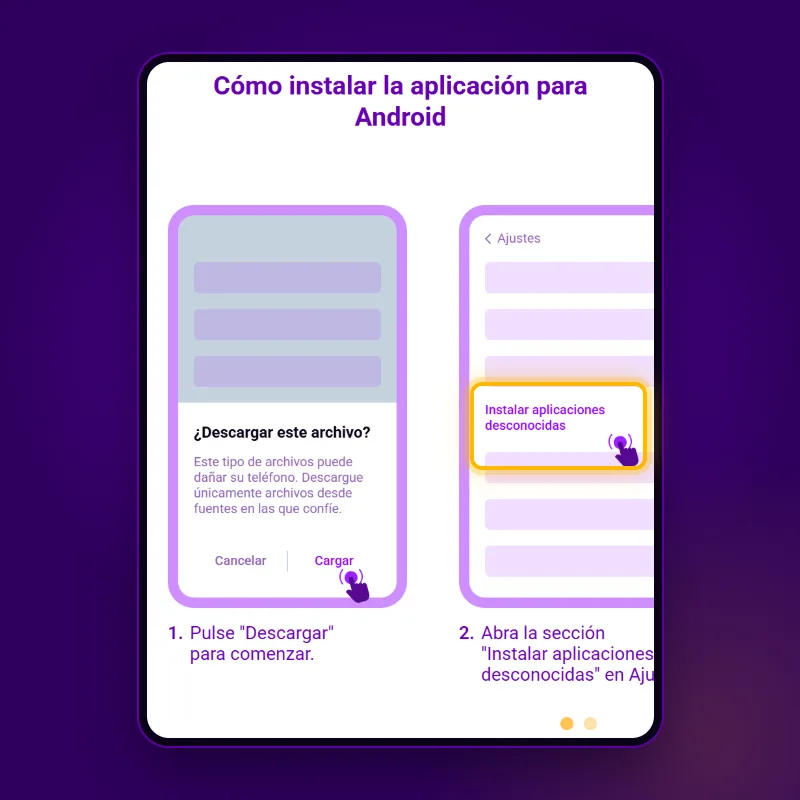
The Android app is an APK file, downloaded directly from the BetJam site. To install it, follow these steps on your phone:
- Open BetJam on your phone with the button on this page.
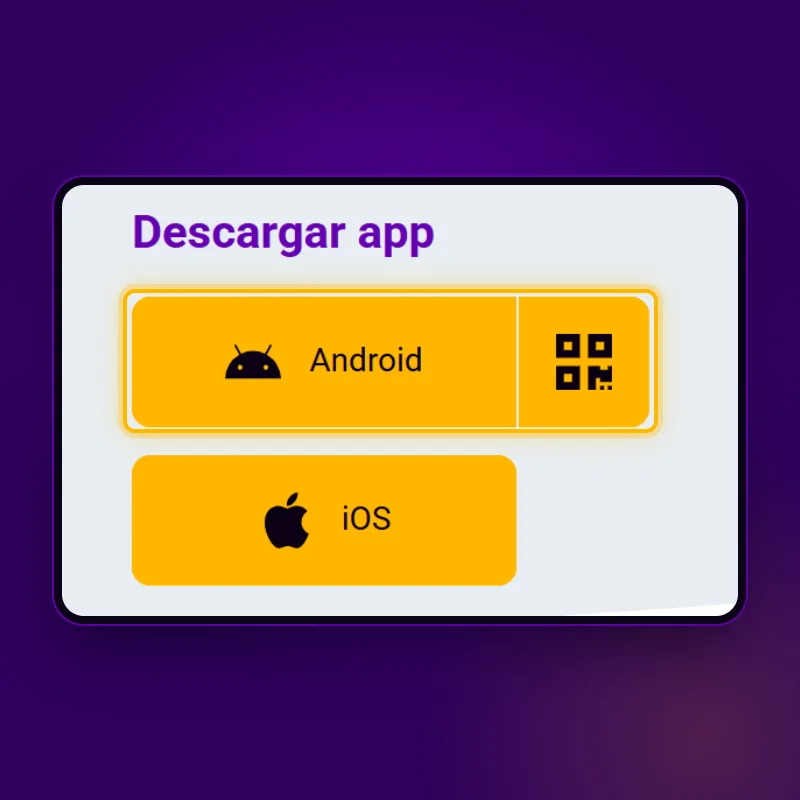
- In the Download app section, tap the Android button.
- If Android asks, allow installs from unknown sources for the browser you used.
- Open BetJam.apk and tap install.
- Open the app and log in with your account.
APK for Android and a PWA version for iPhone
Download the BetJam appIf you do not have an account yet, create one first with the BetJam registration guide. Once the account exists, you only need to log in inside the app with the same method you signed up with: phone, e-mail or Google.
The installation is usually quick, but it depends on your phone and your connection. If something fails, the problems table further down covers the usual cases.
How to install BetJam on iPhone
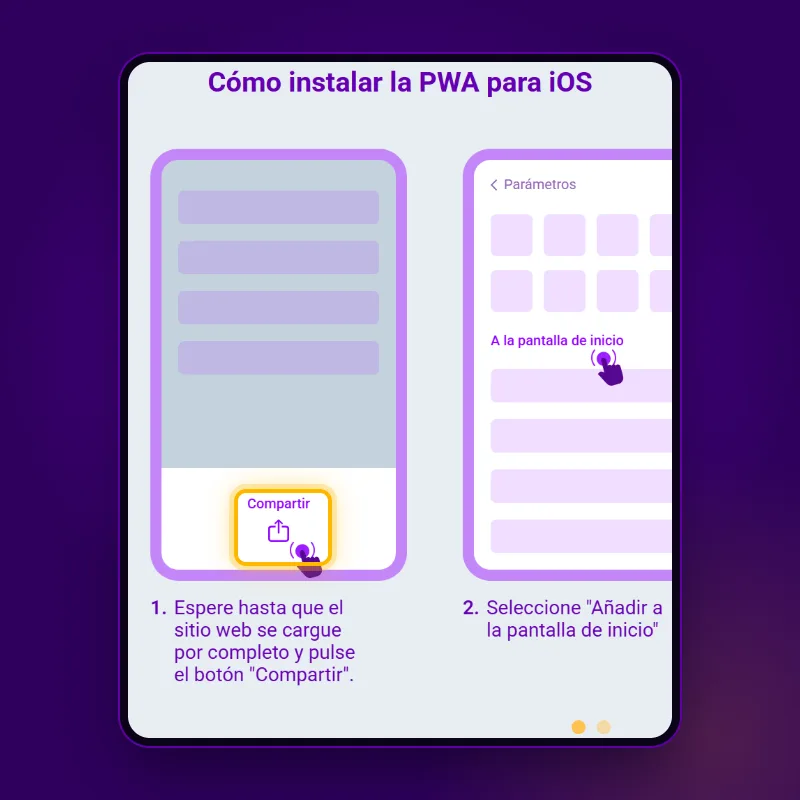
On iPhone you do not install an APK. You add the PWA, a shortcut that opens like an app from the home screen.
- Open BetJam in Safari and wait for it to load fully.
- Tap the share button.
- Choose add to home screen.
- Tap add.
- Open the new icon and log in with your account.
100 free spins for installing the app
If you install the Android app and log in, BetJam gives you 100 free spins. It is a one-time promotion per customer, and it needs no deposit.
Winnings from those spins carry a wagering requirement with a maximum bet, which the promotion explains. See the other offers in the guide to the welcome bonus and other promotions.
What you can do in the app
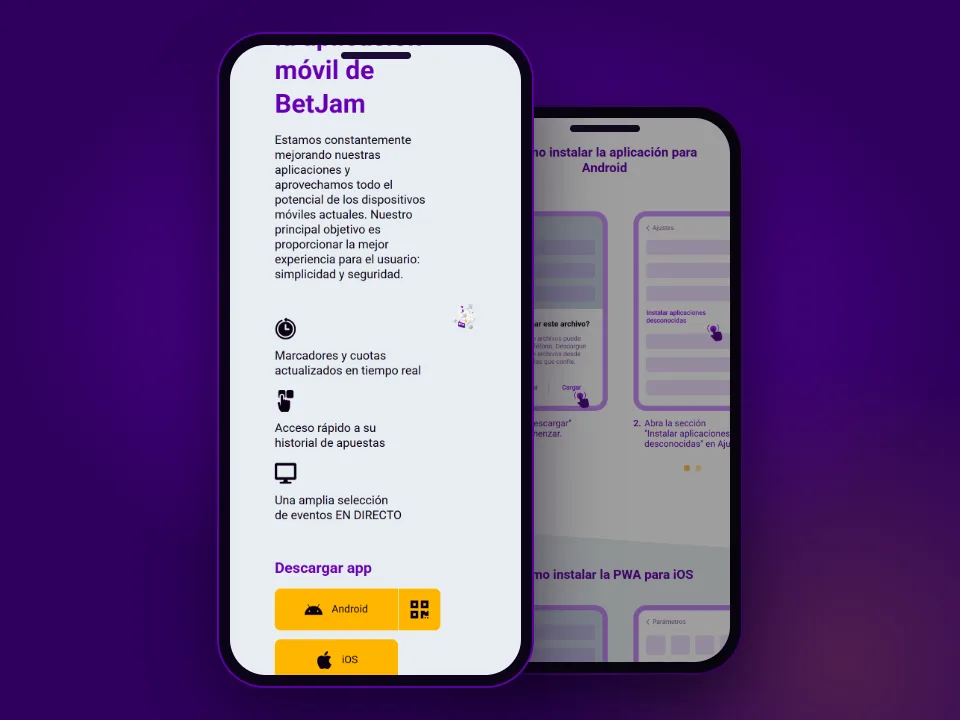
The app shows live scores and odds, gives quick access to your bet history and lists live events. You also get the casino and sports sections from the same account, and the promotions.
If you use a computer, there is a QR code next to the Android button: scan it with your phone to open the download directly.
Welcome package: four deposits + 150 free spins
Sign up at BetJamApp, PWA or browser
All three ways in use the same account. What changes is how you install and what the phone asks for:
| Aspect | Android app | iPhone PWA | Browser |
|---|---|---|---|
| Installation | BetJam.apk file | Shortcut on the home screen | None |
| Permission | Installs from unknown sources | No | No |
| Spins for installing | 100, once only | — | — |
| Account | The same | The same | The same |
Installation problems and how to fix them
| Problem | What to do |
|---|---|
| Android blocks the installation | Allow installs from unknown sources only for this download |
| The download does not start | Open BetJam from the button on this page and tap Android again; from a computer, scan the QR code |
| The option does not appear on iPhone | Use Safari and wait for the page to load fully |
| You do not remember how to log in | See the guide to logging in to BetJam |
Download the app only from the official BetJam site
The official BetJam site is the only source of the APK. Do not install files that reach you in a message or that you find on other sites, because there is no way to know what they contain.
When Android asks for permission to install unknown apps, turn it on only for this download and turn it off afterwards.
Frequently asked questions
Does BetJam have an Android app?
Yes. It is the BetJam.apk file, downloaded with the Android button in the Download app section of the BetJam site. You have to allow installs from unknown sources and tap install. Then you log in with your account.
Is there a BetJam app for iPhone?
There is a PWA version. Open it in Safari, tap the share button, then add to home screen and add. An icon appears on the home screen that opens BetJam like an app, with the same account.
Is it safe to install the BetJam APK?
Yes, if you download it from the official BetJam site, which is the only source of the APK. Do not install files that arrive in messages or from other sites. Turn on the unknown-sources permission only for this download.
Does the BetJam app give free spins?
Yes. Installing the Android app and logging in gives 100 free spins, once only. Winnings from those spins carry a wagering requirement with a maximum bet. There is no such promotion on iPhone or in the browser.
What can I do in the BetJam app?
See live scores and odds, check your bet history and follow live events. You also reach the casino and sports sections and the promotions, with the same account you use in the browser.
APK for Android and a PWA version for iPhone
Download the BetJam app