BetJam login: how to access your account
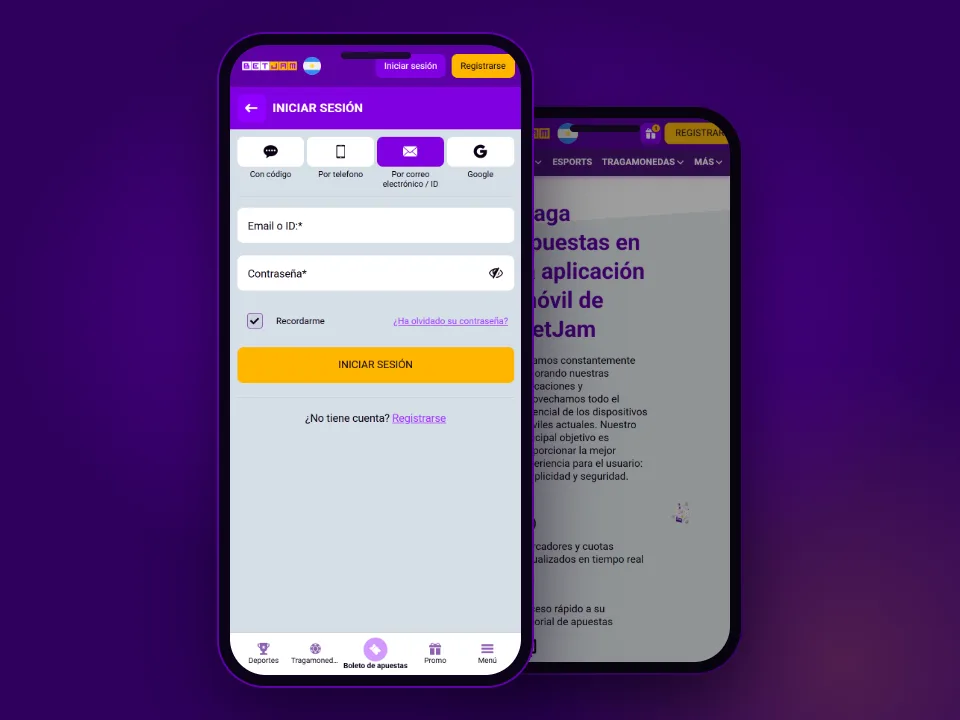
Tap the log-in button on the site or in the app and pick a tab: one-time code, phone, e-mail or ID, or Google. Enter the details you signed up with and your password. On a phone you can also use the Android APK or the iPhone PWA. If you forgot your password, use the forgotten-password link in the login window.
| Where | The log-in button at the top; the sign-up form also has a link for people who already have an account |
|---|---|
| Login tabs | One-time code, phone, e-mail or ID, and Google |
| On a phone | Browser, Android APK or iPhone PWA |
| App spins | 100 free spins for installing the Android app and logging in, once only |
| Break and self-exclusion | Apply for the whole period you chose |
| Support | support@betjam.com (technical support) |
| Minimum age | 18 years |
How to log in to BetJam
Getting into your account takes a few seconds. The steps are the same on a phone and on a computer.
- Open BetJam with the button on this page.
- Tap the log-in option at the top of the screen.
- Choose a tab: one-time code, phone, e-mail or ID, or Google, depending on how you signed up.
- Type your phone number, or your e-mail or ID, and your password. On the one-time code tab you request a code by SMS, and on Google you pick your account.
- Tap the log-in button on the form and wait for your account to open.
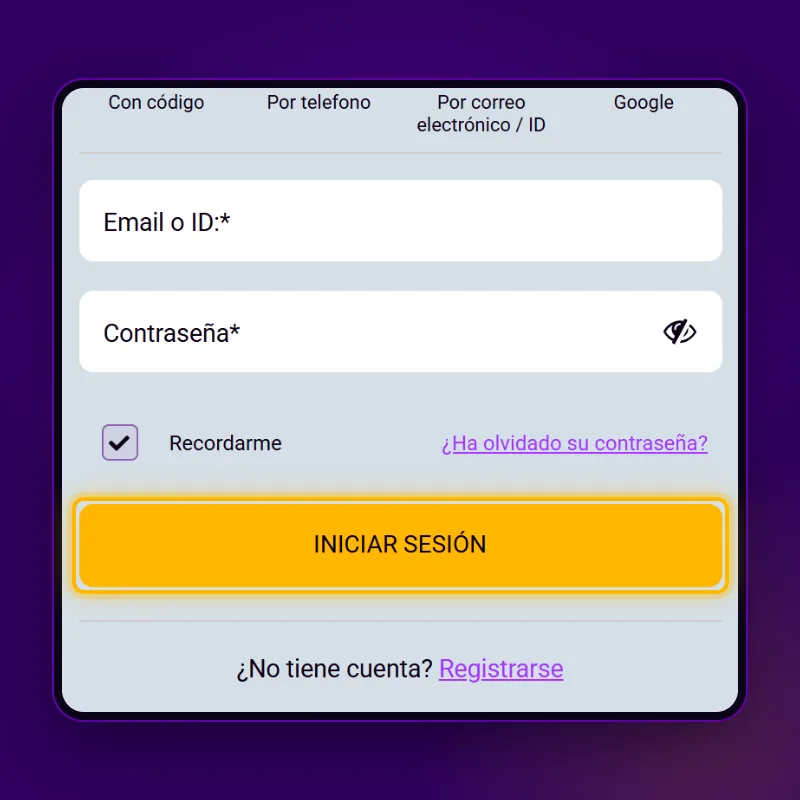
Log in with your phone, e-mail or Google account
Log in to BetJamIf you do not have an account yet, you first need to sign up at BetJam. It is a short process, and the form lets you choose the bonus.
Which details you use to log in
The login window has four tabs. You use the same details you created the account with, and that goes for Google login too. If you cannot remember which one you chose, check the e-mail or the SMS messages you received when you signed up.
| Tab | What it asks for |
|---|---|
| Phone | Your country code, phone number and password |
| E-mail or ID | Your e-mail or ID and your password |
| One-time code | Your phone number and the sending method (SMS); the code is only sent to a verified number |
| The same Google account |
Logging in on your phone and in the app
On a phone you can log in through the browser or the app. On Android you install the BetJam.apk file; on iPhone you add the web app (PWA) from Safari. In both cases you use your usual account, with no need to create another.
If you install the Android app and log in, you get 100 free spins, once only. The installation steps are on the BetJam app page.
APK for Android and a PWA version for iPhone
Download the BetJam appForgot your password?
The tabs that use a password have a forgotten-password link. Tap it and follow the instructions sent to the phone or e-mail of your account. Next to it there is a remember-me box, which is only useful on your own device.
If that does not work, write to support@betjam.com from the e-mail you signed up with. Explain what happened and include your sign-up phone number, so support can find your account.
Cannot log in: problems and fixes
Most of the time the problem is a mistyped detail or a different method from the one you signed up with. Check this table:
| Problem | What to check |
|---|---|
| Wrong password | Check capital letters and the keyboard; if you do not remember it, use the recovery link |
| Number without the country code, or different from the one you signed up with | Enter the same number, with the country code |
| You signed up with Google | Log in with that same Google account |
| Active break or self-exclusion | They apply for the whole period you chose and cannot be skipped |
| The site does not load on your phone | Update the browser, clear the cache or try the app |
| Verification pending | Send the documents you were asked for |
| None of the above works | Write to support@betjam.com with the e-mail or phone of your account |
If you have an active break or self-exclusion, access is blocked on purpose. You can read how those tools work on the responsible gaming page.
After logging in: profile and bonuses
Before your first deposit, complete your profile and confirm your phone number and e-mail. Without that, the welcome bonus may not apply. Remember too that there is one bonus per customer, family, address or IP.
The conditions are in the guide to the BetJam welcome bonus.
How to keep your account safe
- Do not share your password or the codes that arrive by SMS.
- Log out when you use a shared computer or phone.
- Always enter through the official BetJam site and the buttons in this guide.
- Do not install APK files that reach you in a message or from other sources.
If something looks strange in your account, write to support. You can see the support and complaints addresses on the is BetJam legit? page.
Frequently asked questions
How do I log in to BetJam?
Tap the log-in button on the site or in the app, enter your phone or e-mail and your password, and confirm. If you signed up with Google, choose that option. If you do not have an account yet, you need to sign up first.
Can I log in with my Google account?
Yes, if you signed up with Google. Use the same account you used when creating the profile. If you signed up with a phone or e-mail, use those details and your password.
What should I do if I forgot my BetJam password?
Use the recovery option in the login window and follow the instructions sent to the phone or e-mail of your account. If that does not work, write to support@betjam.com from your sign-up e-mail.
How do I log in to the BetJam app?
Open the app (APK on Android or PWA on iPhone) and log in with the same details as your account. There is no need to create another one. On Android, installing the app and logging in gives 100 free spins, once only.
Why can't I log in to my BetJam account?
Check the password, the number with its country code and the sign-up method. There may also be an active break or self-exclusion, or a pending verification. If nothing works, write to support@betjam.com with your account details.
Log in with your phone, e-mail or Google account
Log in to BetJam